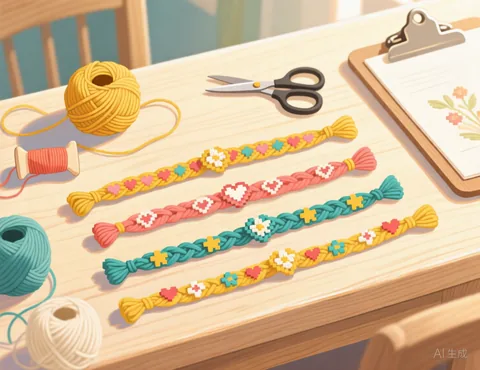
How to make an alpha pattern from a picture
- Choose a picture. Simple icons, pixel art, hearts, flags and cartoon faces work best at bracelet size.
- Set the width in knots. Narrow patterns suit bracelets; wider ones suit wall hangings and tapestries.
- Pick 2 to 5 colours. Each colour is a separate thread you will switch between.
- Fix it by hand. At small sizes a single knot matters, so use the Brush to tidy edges, eyes and letters.
- Download the PDF or copy the knot counts for each row.
How to read an alpha pattern
Every square is one knot. Row 1 is at the top of the pattern, because alpha bracelets are knotted from the top down. The working thread travels back and forth, so rows alternate direction: odd rows are knotted left to right and even rows right to left. A line such as Row 3 (right to left): 2 A, 4 B, 2 A means two knots in colour A, then four in B, then two in A, working from right to left.
Tips for small patterns
- Start from a small, simple image. A photo of a whole scene will not survive being shrunk to 15 knots, but a close up or an icon will.
- Use strong colour contrast between the design and the background colour so it reads from a distance.
- Lower the colour count until every colour has a clear job; two or three colours often look best.
Frequently asked questions
Is it really free?
Yes. There is no sign up, no watermark and no limit on how many patterns you make.
Do you upload or keep my photo?
No. Your picture is processed by your own browser on your own device. It is never sent to our server, so we never see it.
Which pictures work best?
Simple pictures with clear shapes and strong contrast: a pet against a plain background, a logo you own, a cartoon, pixel art or a bold portrait. Busy scenes with lots of small details tend to turn into noisy charts. Crop the picture closely around the subject before you upload it.
Can I match the colours to my yarn?
Yes. Click any colour swatch under the chart and pick the colour of the yarn you actually have. You can also merge two colours that are too similar to tell apart.
Can I use any picture I find online?
Only use pictures you have the right to use: your own photos, or images whose licence allows it. Characters, logos and artwork usually belong to someone else.
How many strings do I need?
That depends on the alpha technique you use and how you set up your base strings. Plan your strings from the pattern width (the number of knots per row) the way your usual method describes.
Can I type a name instead of uploading a picture?
Not yet in this tool. For now, you can make an image of the word in any drawing app (black text on a white background works well) and upload that.